

Domain Registration
Perhaps this is the most exciting part of setting up your online business. You need to choose a name for your creation. In fact, this is a very difficult and responsible task. The thing is that all domain names on the internet are unique, and you will need to choose and claim only an available domain. In addition, you will need to register ownership rights for the domain and secure it under your name. This is the next important key to your business that you must control, because while servers for your store can be changed like gloves, the domain name is your unique identity by which everyone will recognize you.
Domain name registration can be done on the websites of various registrar companies. There are quite a lot of them, and you can choose the one you like and that is located directly in your country. However, we advise you to choose a special company.
The fact is that modern online businesses are often subjected to cyberattacks both from automated data scrapers and from your potential competitors. Therefore, so that your server does not work in vain serving чужих algorithms, you should take care of its protection right away. And since your domain name is the door through which everyone comes to you, it is logical to place a guard next to it.
This guard, and at the same time the domain registrar, will be the company Cloudflare.
Step 1
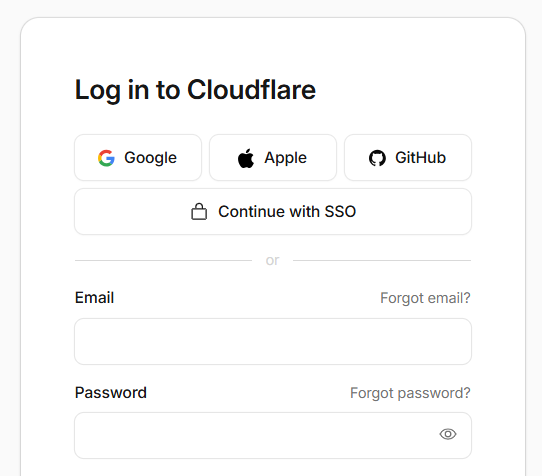
Open the company's website: https://www.cloudflare.com and go to the "Login" section, where you will need to register the first time.
We recommend doing this using your Google account; for that, select the corresponding button at the top.
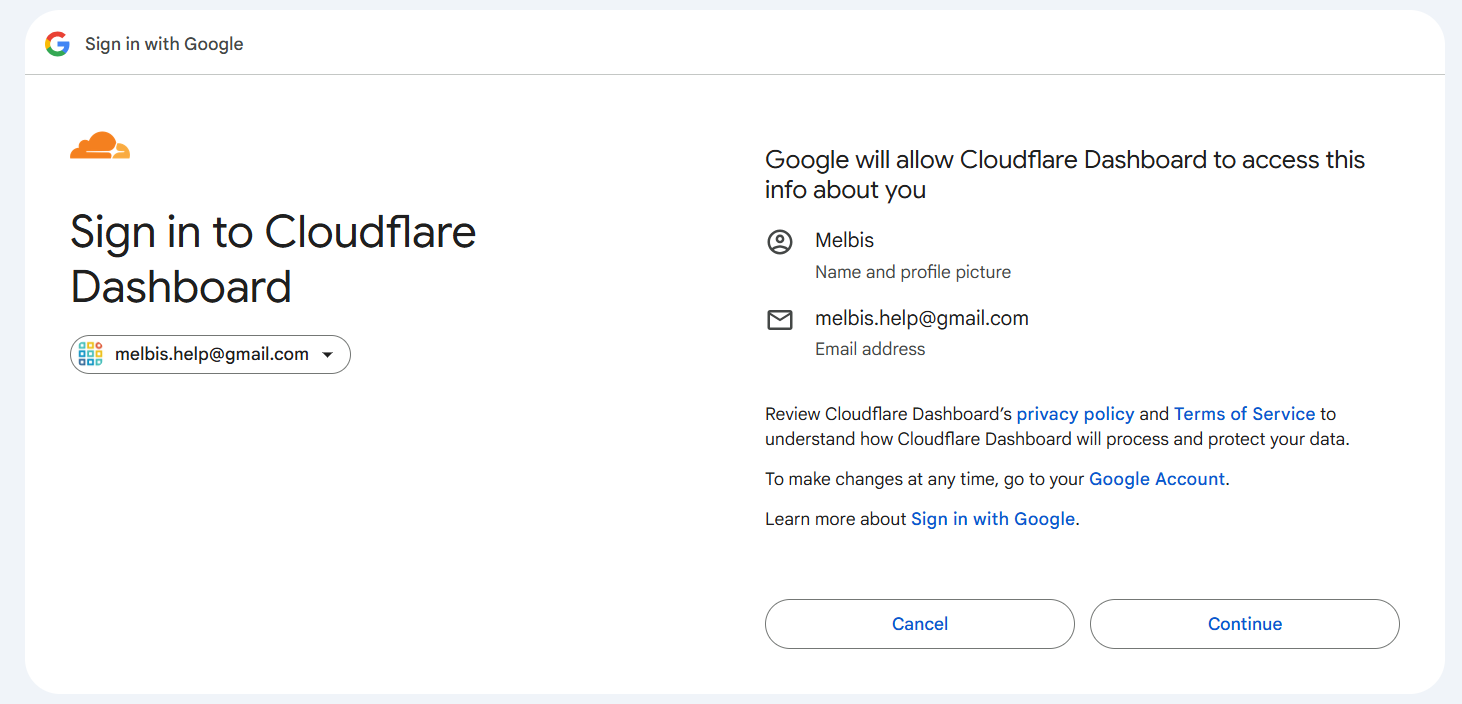
Then click the "Continue" button to confirm the data transfer.
Step 2
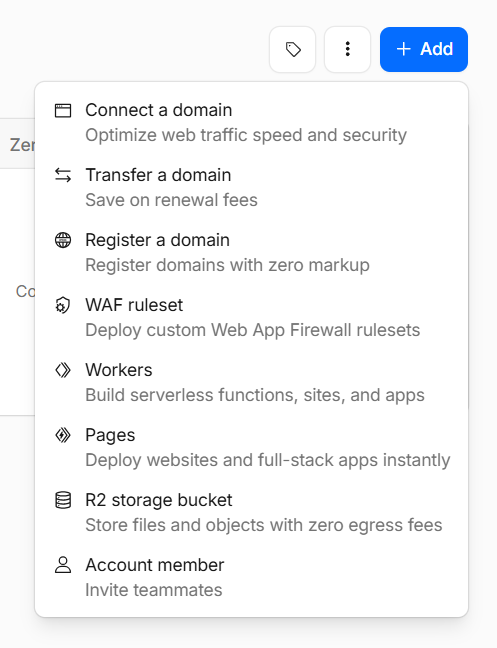
After successful registration, you will enter your personal section of the Cloudflare service, where you need to click the "+Add" button and select the "Register a domain" section.
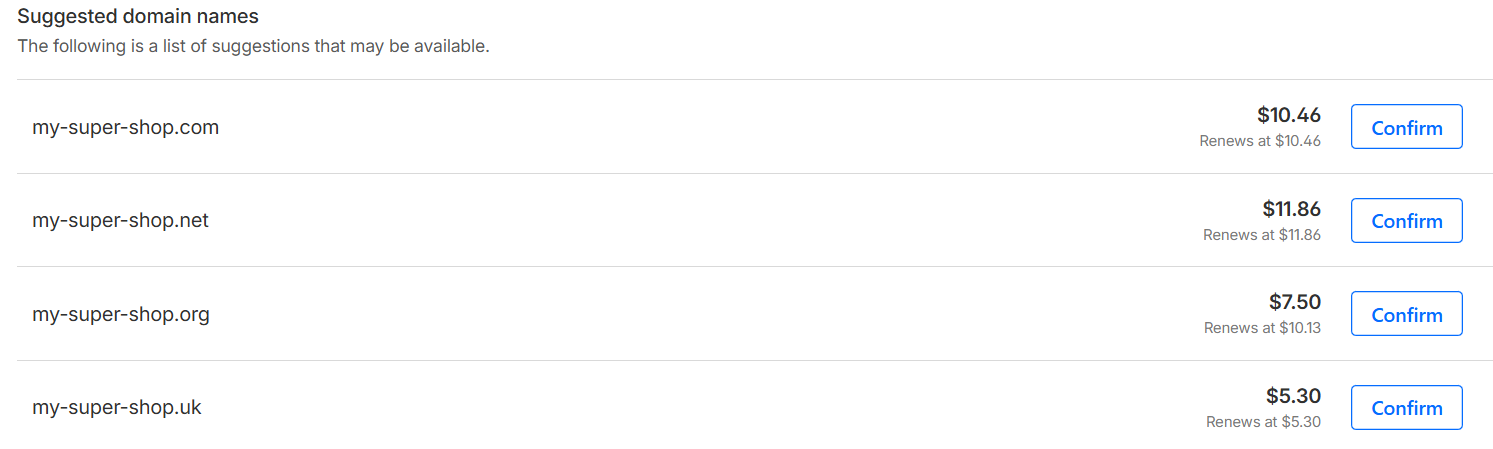
And then comes the most creative moment, namely choosing a domain name. Simply enter your company name and choose the available domain name that you like.
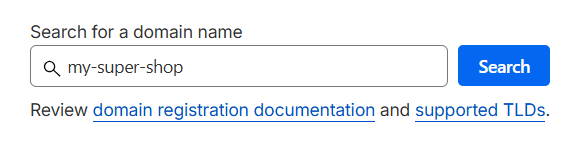
The list will show domain names, their cost (usually per year), and a "Confirm" button; click it when you finish your selection.
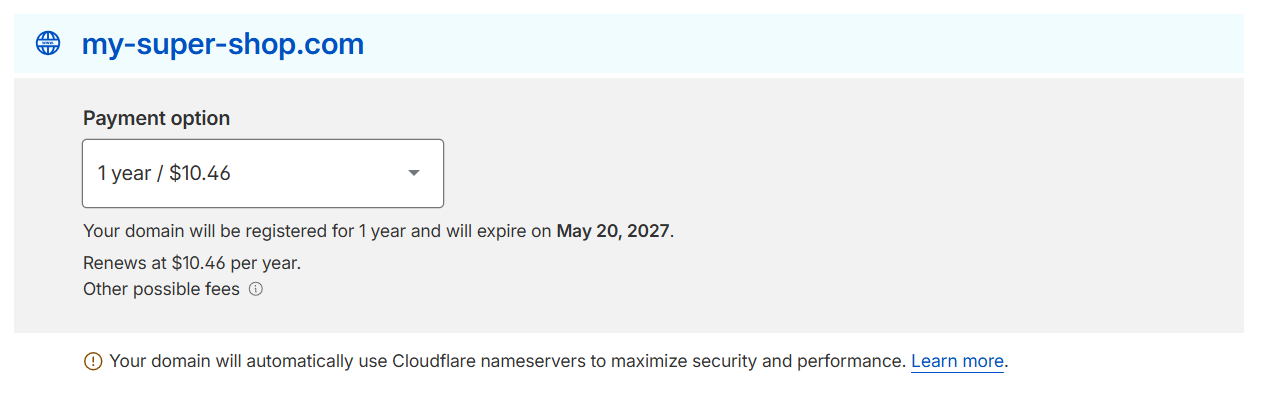
On the next page, you will be asked to choose the registration term for this domain name.
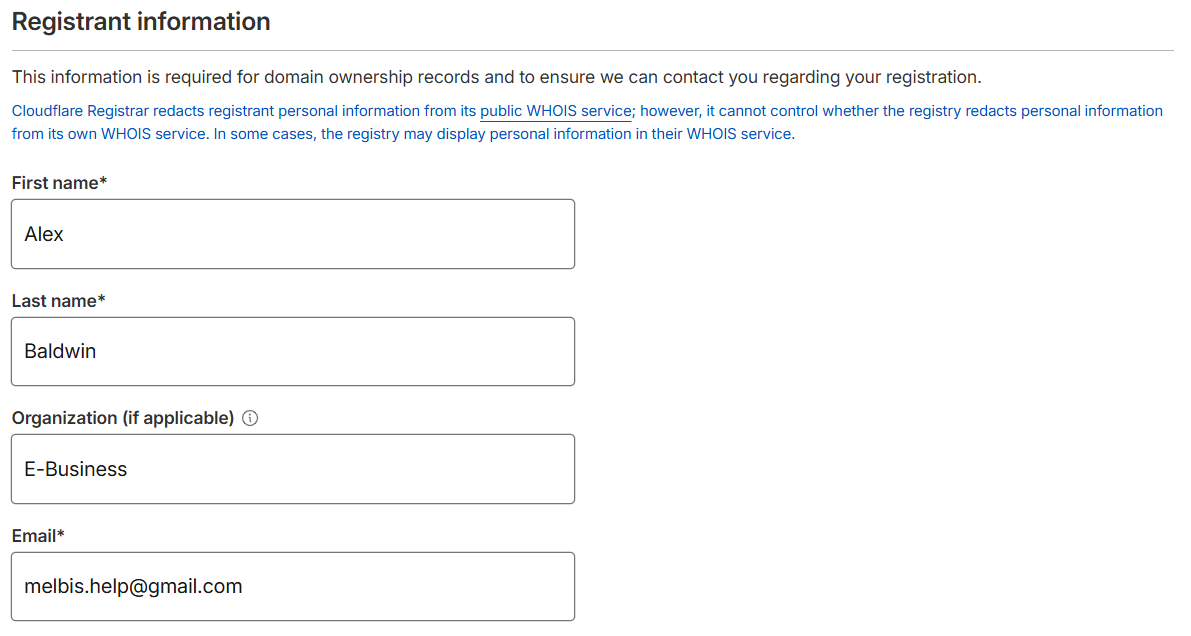
Below there will be a form for entering the registration information of the domain owner. Please fill in this information very carefully! This may be extremely important in the future when you need to confirm your ownership rights to this domain. Also, do not worry that this information will be public: as a rule, the Cloudflare service hides it as private.
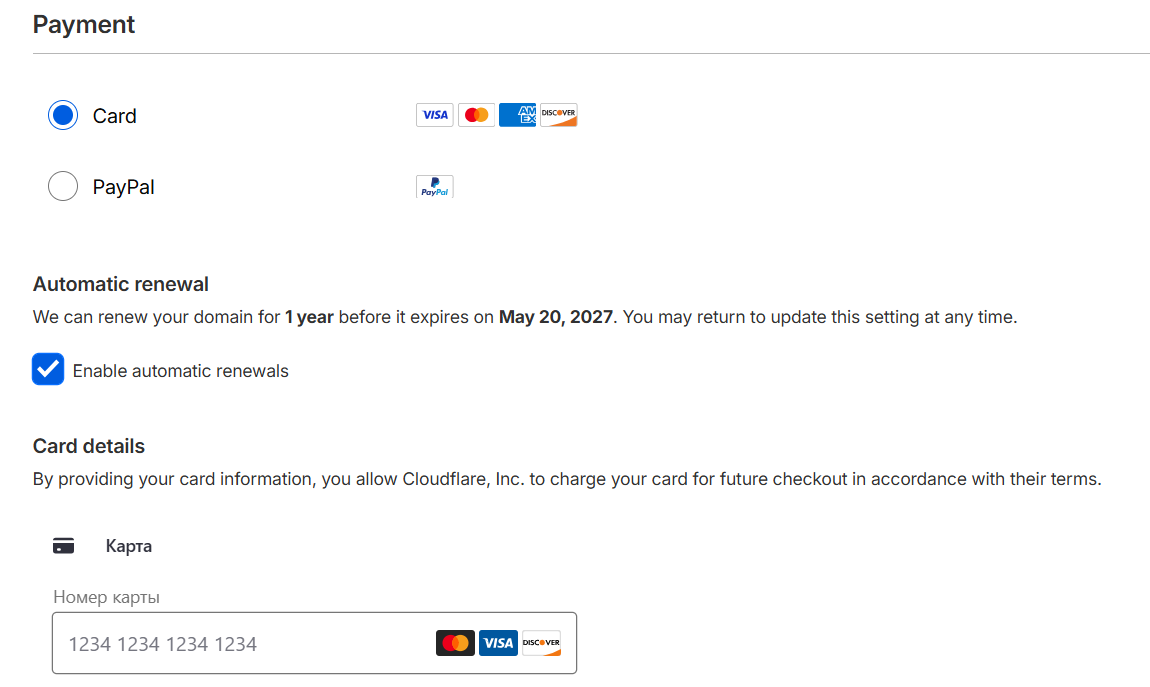
Next, choose a payment method and enter your credit card number. There is also a convenient "Enable automatic renewals" option here: by activating it, you enable automatic domain renewal after the paid period expires.
Step 3
After registering the domain, you need to go to the "Domains/Overview" section, where you should click on the domain in the list. You will be taken to the domain management page.
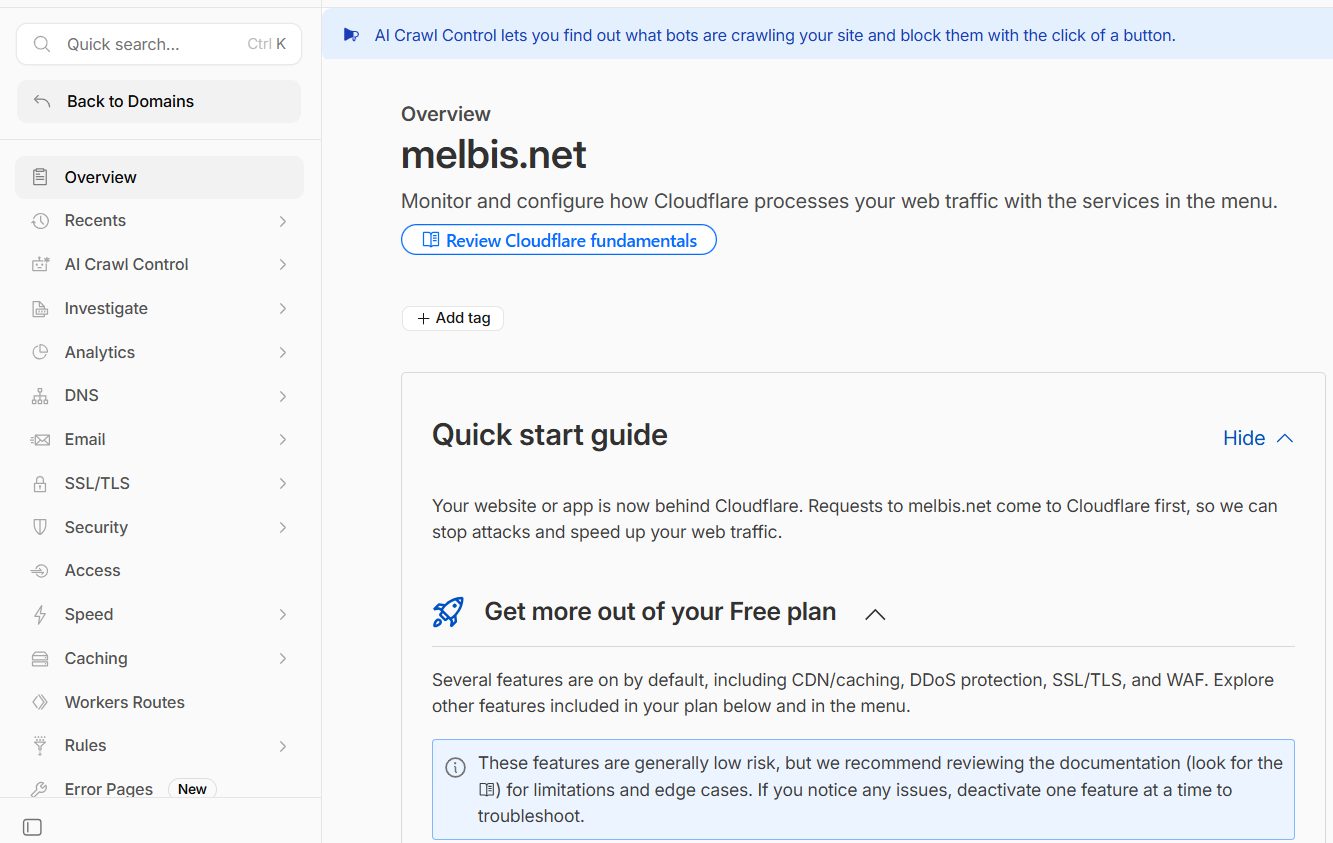
Here we will need to link your newly registered domain to your new server, which you should already have purchased in the previous step: server purchase. To do this, you will need to add a special DNS record. In the left menu, select the "DNS" section and the "Records" subsection. There will be a "DNS management" block here.
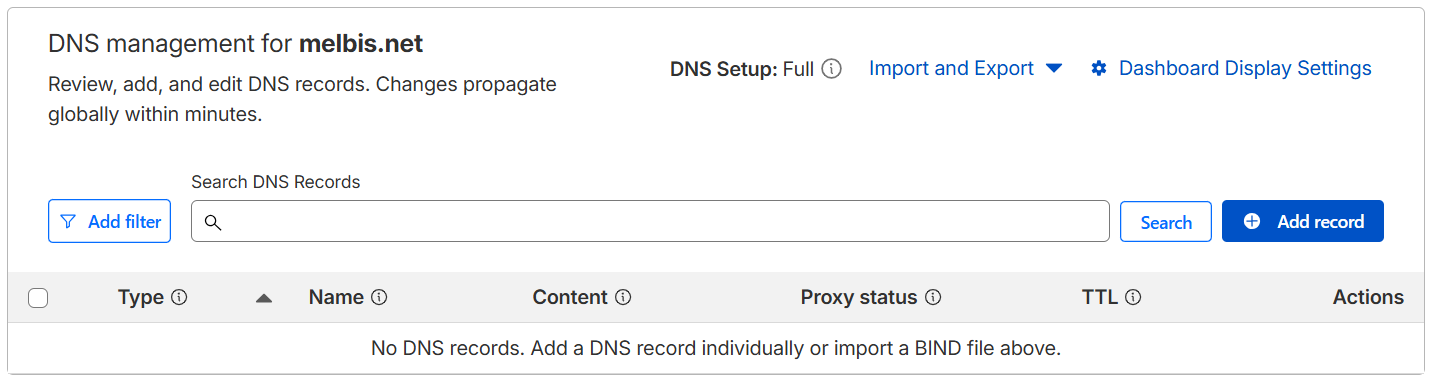
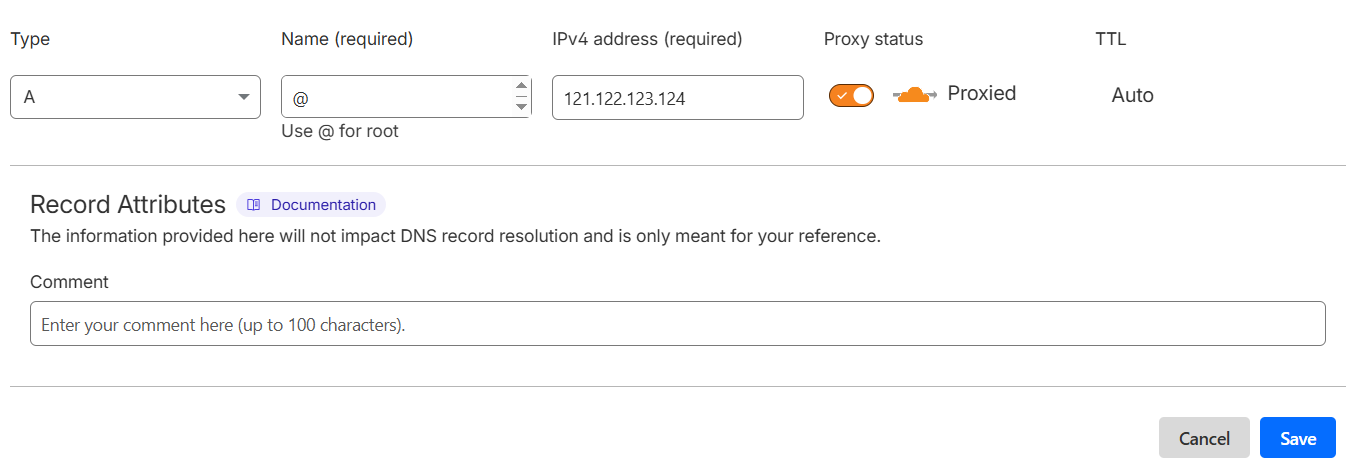
Click the "+ Add record" button and fill in the fields:
- Type: A
- Name: @
- IPv4 address: enter your server's IP address
and click the "Save" button.
Congratulations! You have successfully registered a domain name and linked it to your server. As we said, there is nothing particularly complicated here, but at the same time you fully control all the important information registered in your name.
Well, we have completed all the preparatory steps for organizing an online business, and now it is logical to move on to the next stage: installing the Melbis Shop software.