

Self-hosted e-commerce · platform for your own online store · since 2002
Your business. Your logic. Your AI partner.
The built-in AI assistant takes care of all the routine work. This is not an external chatbot for writing texts, but a full-fledged team member directly connected to the store’s tools and code. It is also your developer partner: it understands the business, builds processes, and programs the platform.
What’s inside
Efficient and functional
Each employee sees only what is theirs — and works without getting in anyone else’s way
Roles are assigned flexibly: content managers fill the catalog, logistics staff manage prices, sales managers process orders. A detailed permissions system protects commercial information: data is visible only to the extent allowed by the access level. While an employee is working with data, the dispatcher will not let someone else overwrite it.
High-speed work with products, orders, and any other data
We have been developing Melbis Shop since 2002 — from the days of dial-up internet at speeds below 2 KB/s. Because of that, we achieved high performance with low traffic consumption. You may wonder why this matters today. But this approach drastically reduces server load thanks to less frequent changes in the database and cache.
One business logic for both the customer and the manager
Abstractions are kept to a minimum: orders, customers, and custom fields all live within the same business logic. Order calculation and checkout work the same way both in the Windows application and on the storefront — the very same modules are used. There is nothing to synchronize, which means nothing can go out of sync: a rule written once works everywhere.
MCP SERVER · Claude Code
A jack of all trades
Connect Claude Code or any other MCP-compatible agent — and the store opens up to it from the inside. It will create storefront modules from a description, design the catalog structure, fill it with products, figure out someone else’s code, and answer questions about your data. Before changing anything, it will show the plan; when finished, it will inspect the storefront through the eyes of a customer and save its findings to the store’s memory, so the next session does not start from scratch. It will document a business process as a separate page: who does what, in which program window, and when the work is handed off further. And for employees, you open not full access but separate tool commands — each person calls the assistant within the limits of their own permissions.
Without the shackles of a ready-made store
A different point of view
For more than 20 years, like everyone else, we included a sample storefront. But Melbis Shop 6 has outgrown that stage: we found that together with a sample store, the owner also gets a standard view of business, which kills creativity and leads to dull solutions. If a standard project suits you, then ask yourself: do you really need your own store? Maybe a place on a marketplace is enough for you?
That is why our “box” does not contain a store, but it does contain the one who will bring your creative idea to life: the AI assistant. You describe your business in ordinary words — the way you would explain it to a friend — and it turns that into a plan: currencies, suppliers, catalog, attributes, order fields, employee permissions. And it shows the plan before touching anything.
Workspace
The software your store lives in
Product descriptions in minutes, not an entire evening
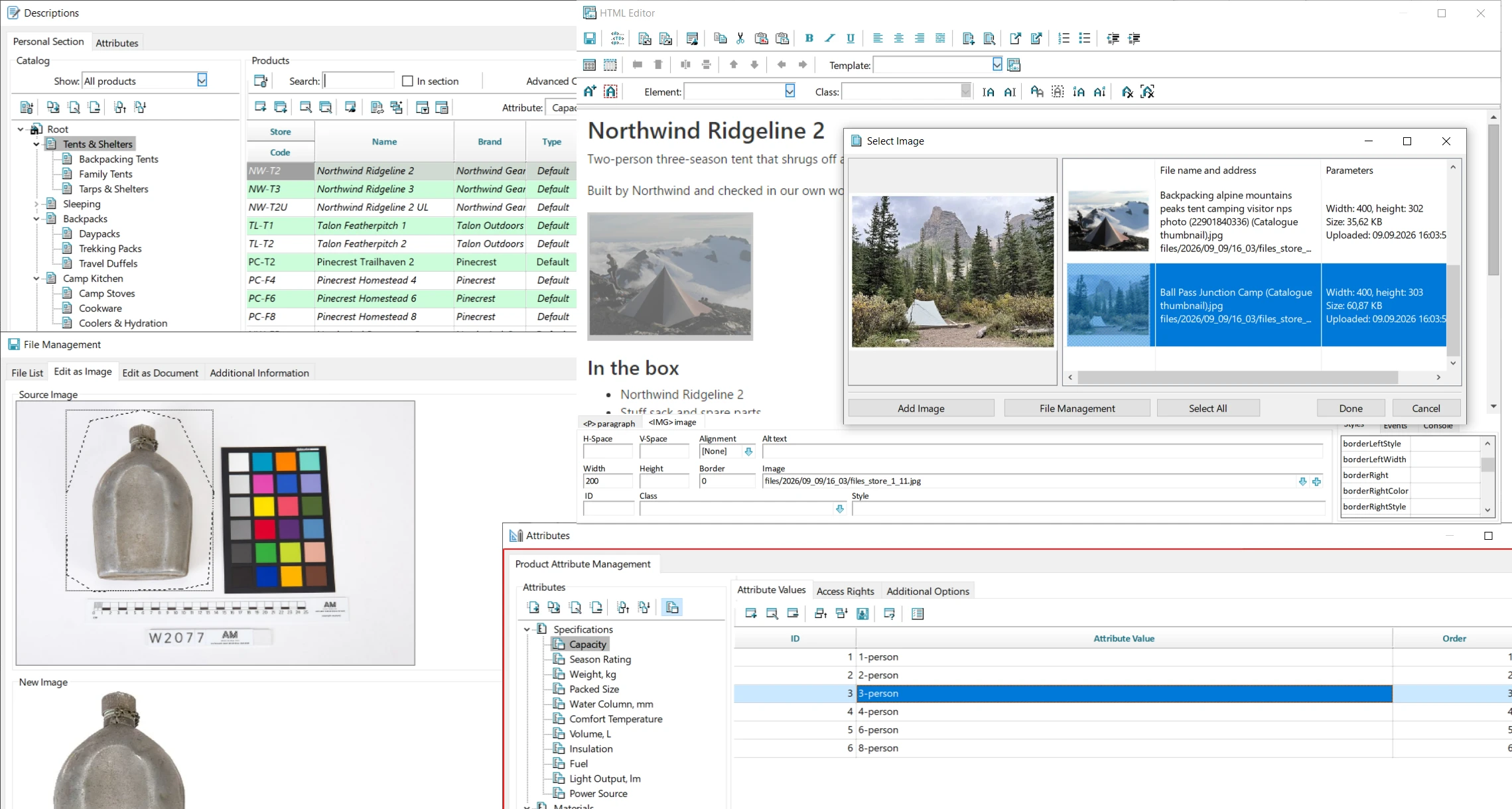
The “Descriptions” section is the content side of product management: photos, texts, reviews, and specifications. Multiple employees can work on descriptions at the same time, each in their own personal workspace — a local copy of the uploaded products; the server reconciles changes on save and flags simultaneous edits to the same product as conflicts. Images can be cropped and resized by profile directly in the program, without any external editor. Text is styled with classes rather than manual font selection, so the store maintains a consistent look.
Supplier price lists — clear and fast
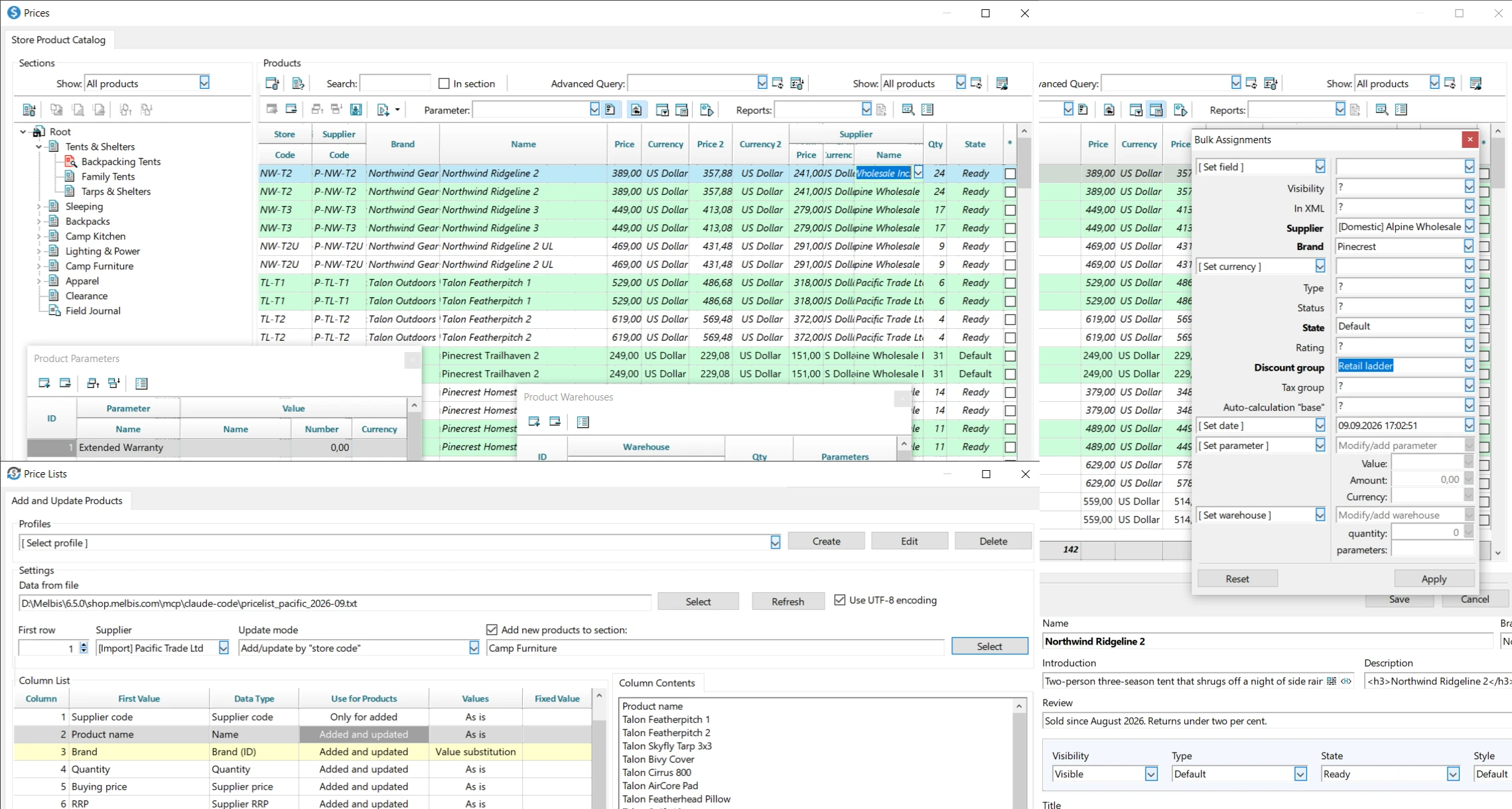
The “Price Lists” section uploads price lists in bulk: hundreds of items are added and updated in a single run. Column mapping for a supplier’s file is configured once and saved to a profile under the supplier’s name, so next time processing is almost instant. Products are matched by ID, store SKU, or supplier SKU, values are replaced according to rules, and bulk assignment updates a field across the entire selection at once. The ideal option is automatic updates via an XML price list using a separate module.
Web modules open within the program
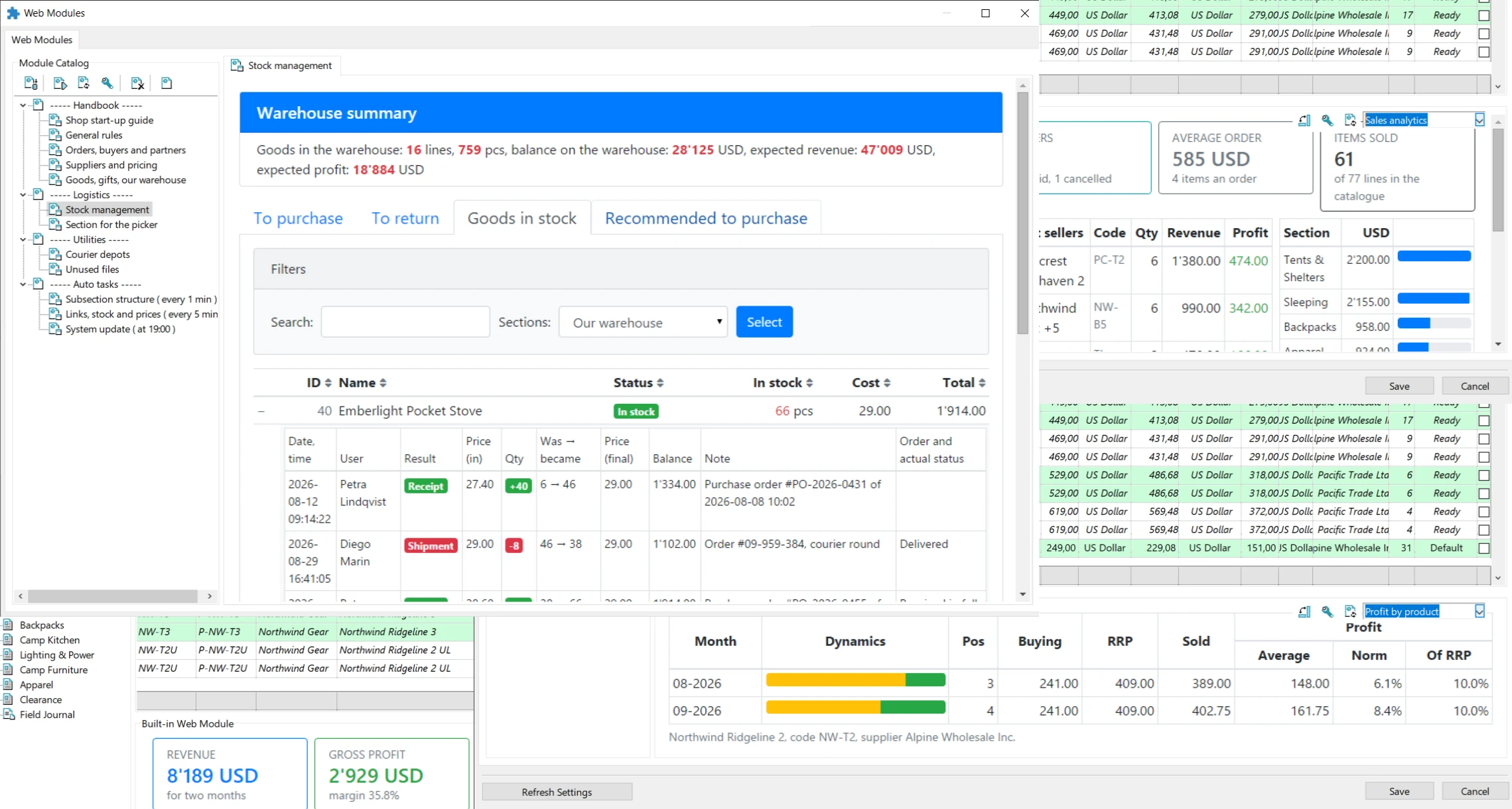
The web module is a store extension that runs in the built-in Chromium browser. The program passes it the context — the current product, order, customer — and the module displays exactly what is needed here: inventory, a report, or a custom section. Built-in modules appear as panels in “Prices,” “Orders,” “Customers,” and “Scheduler.” External modules work both in the program and in a regular browser on a tablet or phone, with employee login authorization if needed.
Work organization for employees — by tasks and by roles
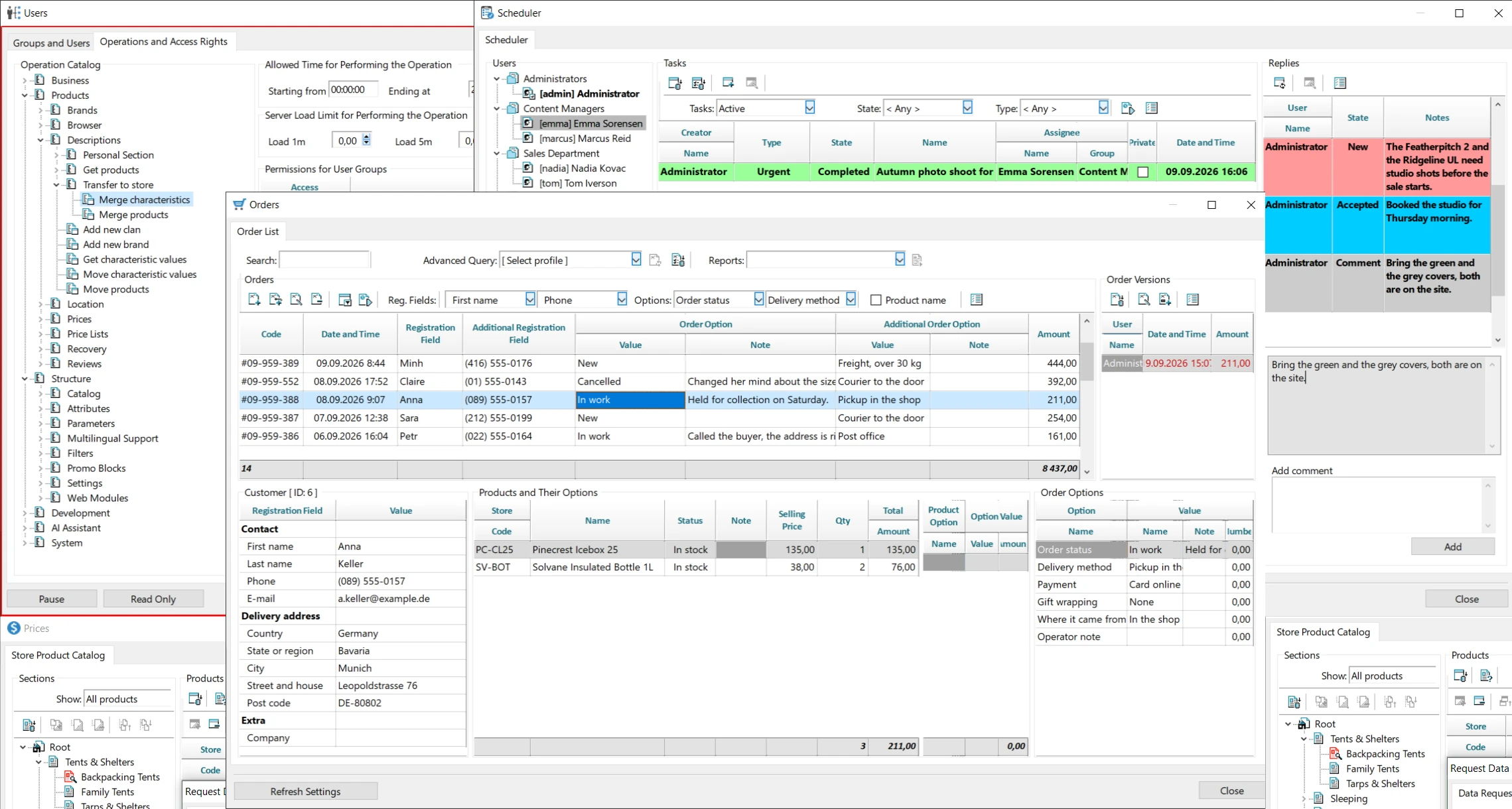
The Planner is a lightweight CRM: employees assign tasks to each other, track their status, and communicate in comments; you can also create tasks for yourself as reminders. The order is displayed in full — customer, products and their options, order options, and expenses. The software stores a change history, so you can see who edited the order and when; any version can be opened and used as the basis for a new one. Order pricing is calculated using the same code as on the storefront, so totals match by design.
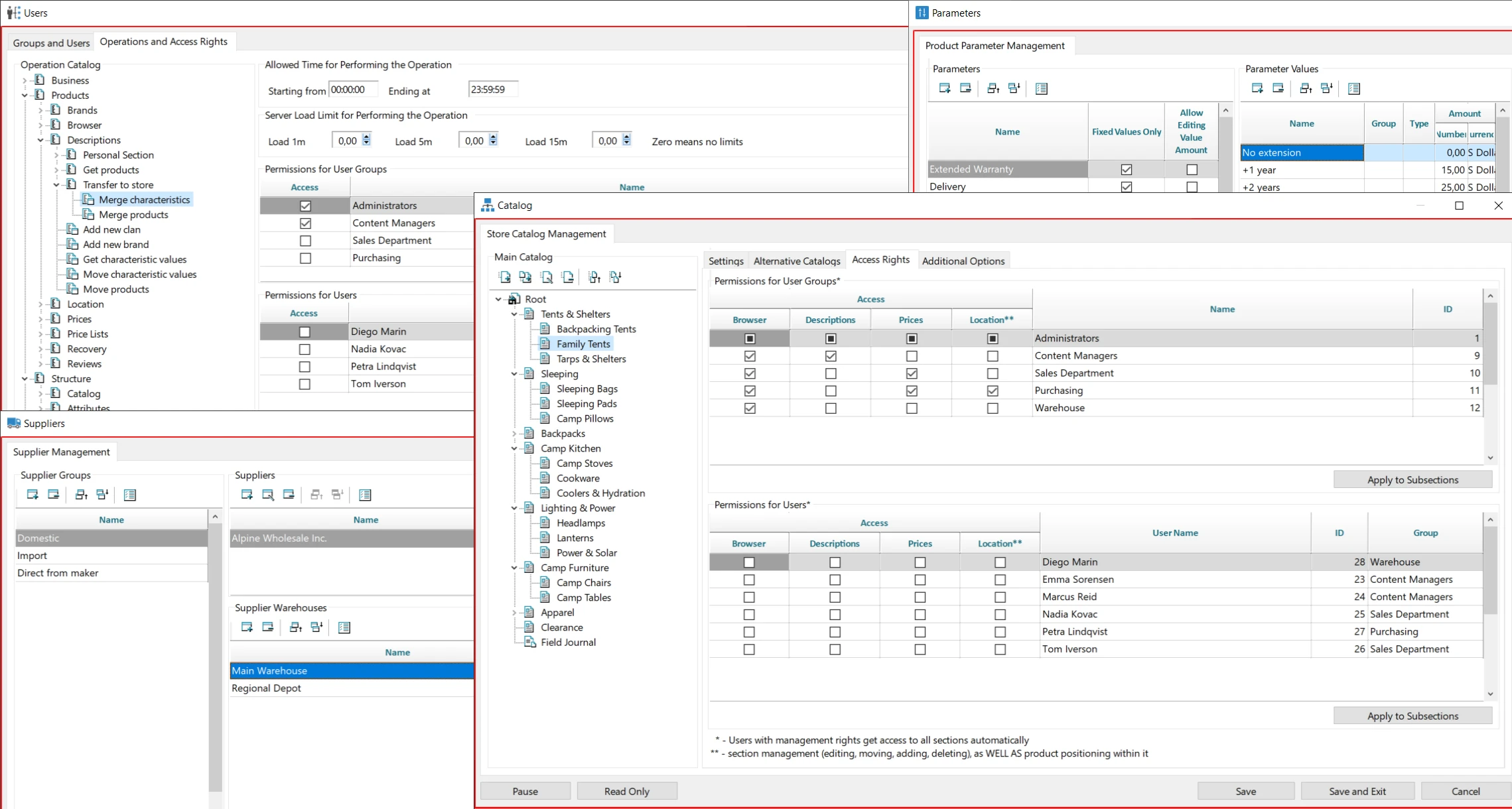
Access rights — down to individual operations
The operations catalog is a tree of server commands, and at the intersection of an operation with a group or a specific employee, an access permission checkbox is set. Each operation can have allowed hours of the day and a server load limit defined. Access to catalog sections is assigned separately and independently by data type: “Prices,” “Descriptions,” “Location,” “Browser.” This way, commercial information is hidden from those who populate the catalog, and an intern sees exactly what has been opened to them.
The storefront is built in the integrated development environment.
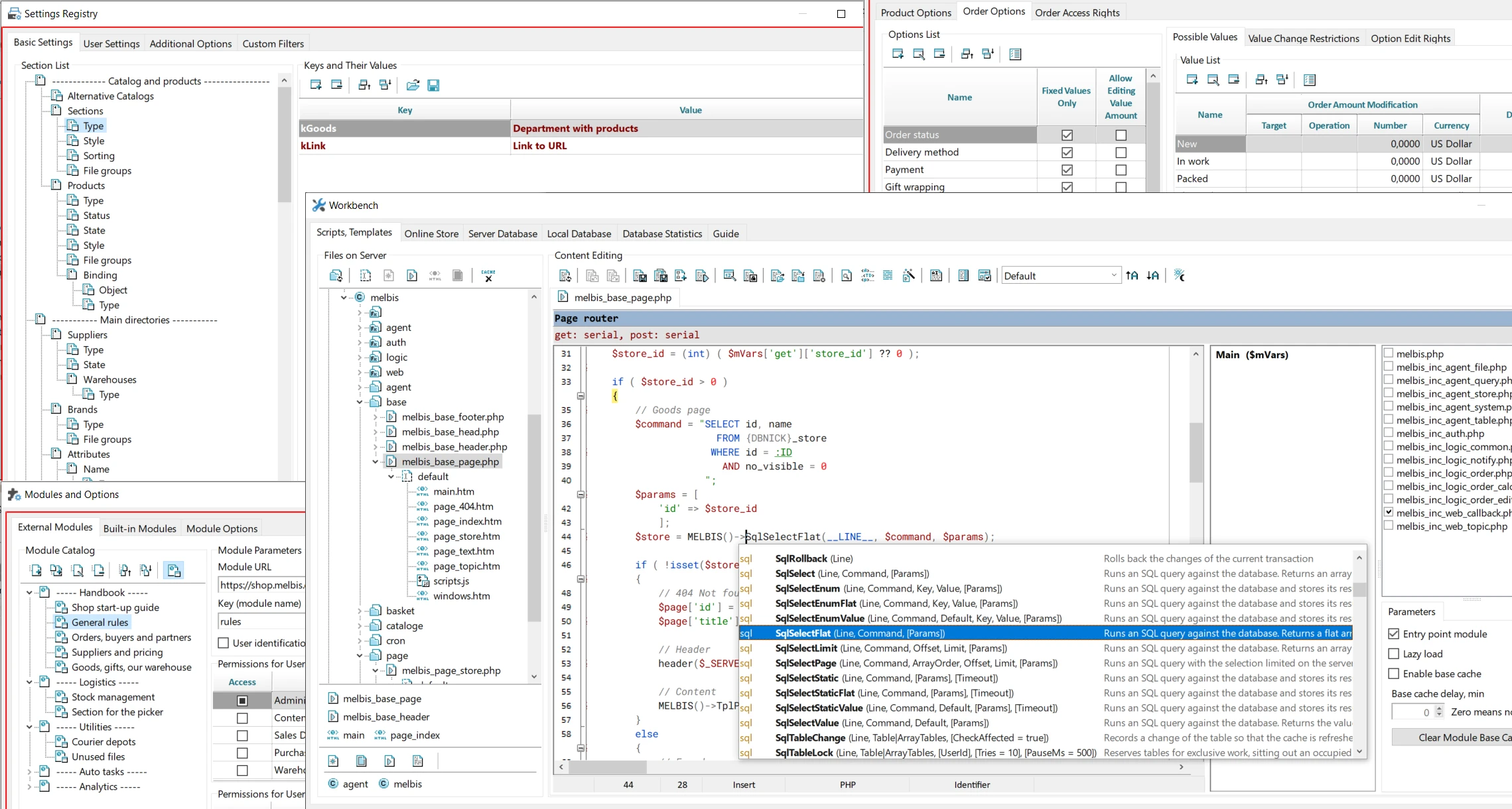
The development environment is an IDE built into the application: files are edited directly on the server, without FTP. The tree is divided into static assets, images, root and module scripts, and the editor suggests platform methods and code templates. Here you can also configure module caching and deferred loading via AJAX, and access server and local databases, request statistics, and the developer guide. The design is switched using template groups, so the same PHP code can deliver different storefront layouts.
You can start today
Server, domain, program — seven steps in the guide. At the end, you will not get an empty store, but an AI assistant: tell it about your business, and within half an hour the first working version will appear — just like in our demo run.